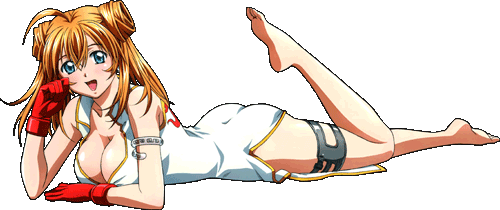
Welcome! Here you will find some high-quality Anime "renders" (images that are carefully cut-out/masked) for use with System Animator desktop gadget
or other design purposes.
System Animator allows you to decorate your desktop easily with renders,
even with some ANIMATED effects(*) supported (video demo)!
Right now, we have 350 renders in 22 different categories, and more to come! Remember to check out the note section at the bottom for more info about using these renders
on System Animator.
(**) denotes the support of customized Fireworks effect. The default Fireworks effect is a mix of blue/yellow sparks and red stars shooting out from a fixed position.
An example of customized effect is some colorful hearts jumping out from Saber's cup (video demo).
To use these customized effects, you need to download the following file and unzip "animate.js" to the folder where the render is saved. Download "animate.zip" (revision 31 / last updated on December 22, 2012)!
You can double-click on the gadget to resize the render down to 1/4 of the original size to fit whatever desktop layout.
You can make your own render for System Animator. All you need to do is to add "_gimage" at the end of the filename of your PNG image file.
Check out this video demo.
DISCLAIMER: This gallery may contain images which are NOT
suitable for children, but there is NO erotic or any so-called
"Hentai" images in this gallery. Parental Guidance is suggested for children under 13.